
Account
Privacy, security, and subscription settings
Account Settings
Manage your account under Account ↗.
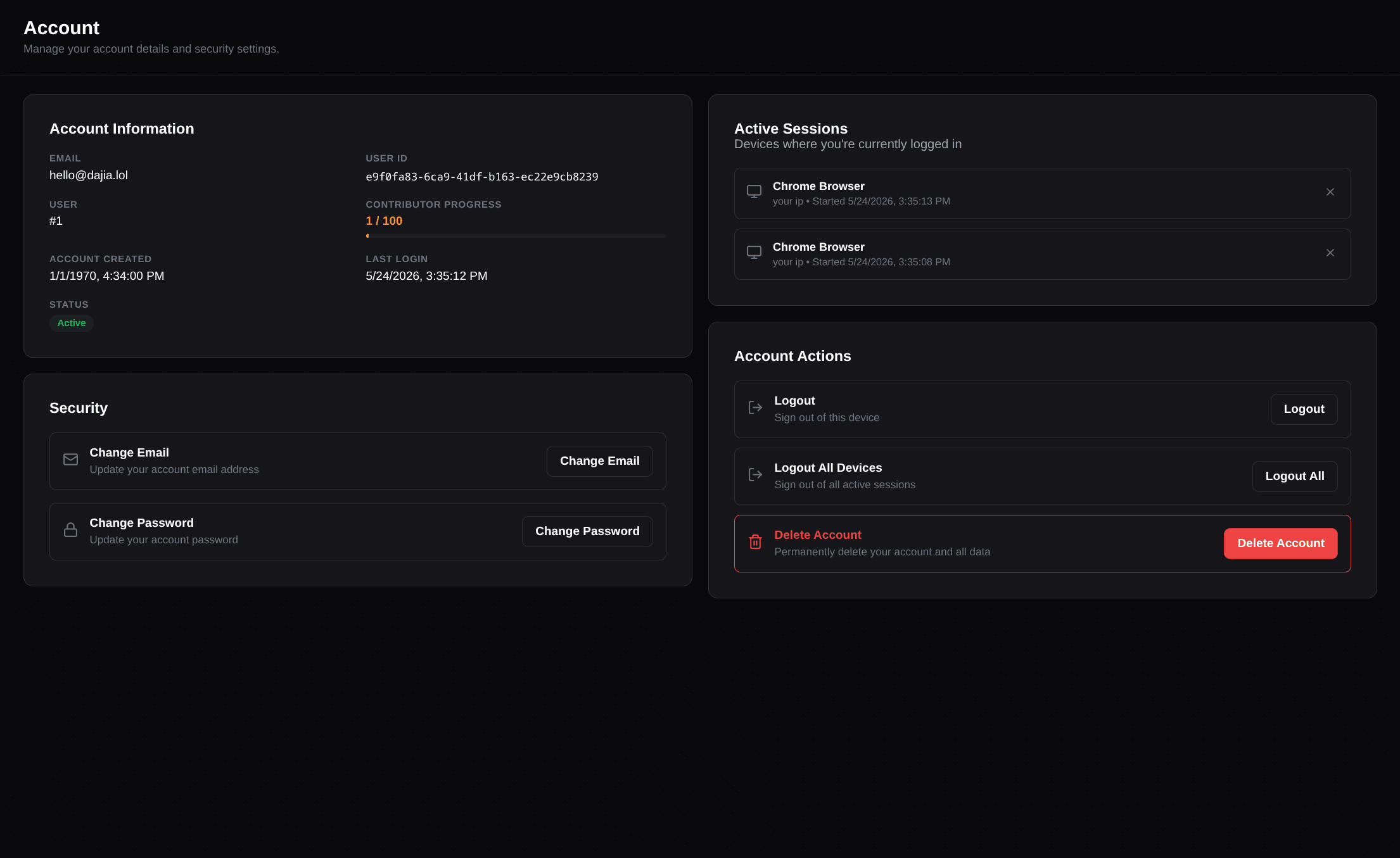
Account information and profile links
The account page shows your email, user number, join date, and last login. It also includes a Profile links card with the Dajia-owned URLs that can open your profile.
dajia.lol
Your canonical public profile URL.
biocard.lol
A second Dajia-owned profile domain available on every plan.
profile.cat
A Dajia-owned profile domain available while you have an active Premium subscription.
Use the external-link button to open a profile link or the copy button to copy its full HTTPS URL. These links do not need DNS setup. To connect a domain that you own, use Custom Domains ↗.
profile.cat requires an active recurring Premium subscription. Lifetime Premium
access by itself does not unlock that domain.
Contributor progress
If you have shared public assets or templates, the account page shows your contributor progress and the assets or templates contributing points. Open Contribution Score ↗ for the weighting rules and level thresholds.
Security
Email & Password
- Change your registered email address. Dajia sends a verification email to the new address.
- Set a password if you signed up with OAuth only.
- Change your existing password when you already use email/password login.
- If you are locked out or forgot your password, see Password Reset & Recovery ↗.
Passwords must be at least 8 characters and include an uppercase letter, a lowercase letter, and a number or special character.
Active Sessions
View and manage active login sessions:
- Device/browser information
- IP address
- Last seen timestamp
- Revoke individual sessions
You can also use Logout All Devices to revoke every active session at once.
Premium and billing
The Subscription card shows whether your access is Free Tier, Lifetime Premium, Premium Subscription, or a combination of lifetime and subscription access.
Cancel auto-renewal
Stops future subscription renewals while keeping access through the current paid period.
Request a refund
Submit an in-app refund request for eligible purchases processed via LemonSqueezy.
Subscribe
Opens the Premium upgrade flow when your account is on the free tier.
How refunds work
All payments on Dajia are processed securely through LemonSqueezy as the merchant of record.
- Requesting a refund — If your recent purchase is eligible, a Request Refund option appears on your Subscription card under Settings => Account.
- Review & processing — Submitting the request logs a refund ticket with LemonSqueezy for review.
- Access and perks revocation — When a refund is granted, all associated Premium entitlements (subscriber badge, custom domain slots, extra private upload quotas, and multi-page layouts) are revoked, returning the profile to the standard Free tier. LemonSqueezy handles the credit back to your original payment method.
- Billing support — For payment inquiries or manual invoice assistance, you can reply directly to your LemonSqueezy email receipt or contact support.
See Premium Plans & Quotas ↗ for plan limits and the features each type of Premium access unlocks.
Deleting Your Account
Account deletion is available under Delete Account.
Account deletion is irreversible. All data including your profile, cards, media, templates,
and badges will be permanently removed. Password accounts confirm with the current password;
OAuth-only accounts must type DELETE MY ACCOUNT exactly.
An active Premium subscription is cancelled before the account is deleted, so it does not renew. If Dajia cannot confirm the cancellation with the payment provider, the account is kept and you can try again shortly. Lifetime Premium has no renewal, so there is nothing to cancel.