
Analytics
Monitor and track views, visitors, and traffic sources for your dajia.lol profile
Analytics
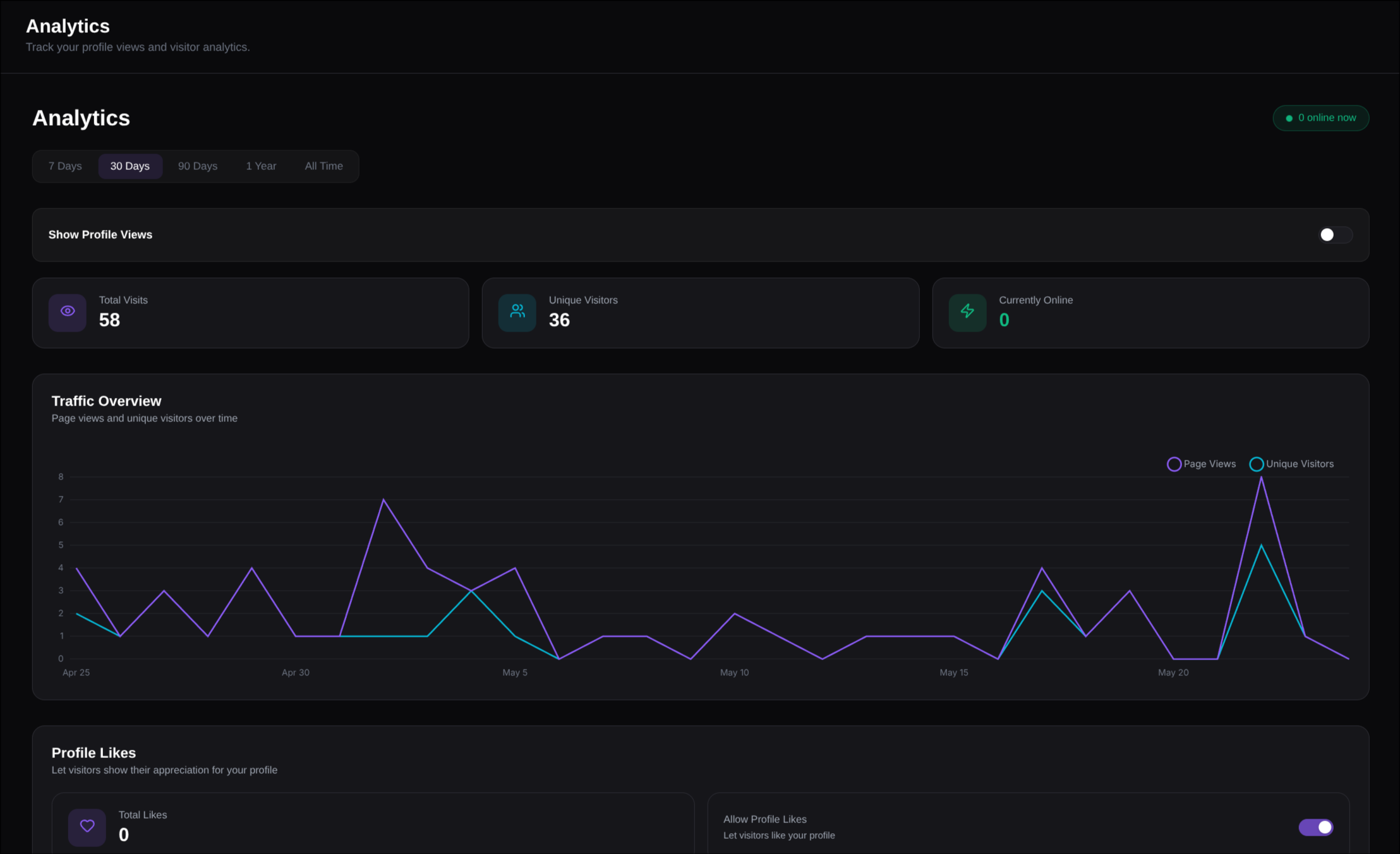
Track your profile traffic and engagement under Analytics ↗.
Overview
dajia.lol includes profile analytics directly in your dashboard. You do not need to install third-party scripts on your profile.
Free users keep access to the core profile stats. Premium users get advanced traffic, visitor, and engagement breakdowns on the same analytics page.
Core Metrics
- Total Visits — Every profile page load, including repeat visits from the same browser.
- Unique Visitors — Approximate unique browsers that visited your profile.
- Currently Online — Active visitors on your profile right now.
- Total Likes — Likes received by your profile.
- Session Duration — Average time visitors spend on your profile.
- Most Clicked Link — The profile link with the highest click count.
Public Leaderboard
The public leaderboard ↗ ranks community profiles by all-time views, unique views, or likes.
Participation is off by default. Turn on Public Leaderboard in the Profile Display section of Analytics to include your profile. This shares only your username, avatar, display name, and the three aggregate totals — never individual visitor records, referrers, locations, or other analytics details. You can opt out at any time; your profile is then removed from the leaderboard.
Premium Analytics
Advanced analytics are available to Premium users. Existing free analytics remain available on the same page.
Traffic Overview
Use the overview chart to compare visits and engagement over time. You can switch between the available ranges:
- 7 Days
- 30 Days
- 90 Days
- 1 Year
- All Time
Traffic Sources
The traffic card shows where sessions came from:
- Channels — Direct, search, social, developer, and external traffic.
- Referrers — External domains that sent visitors to your profile. Local/private referrers and unknown values are hidden.
- UTM — Campaign parameters from links such as
utm_source,utm_medium, andutm_campaign.
Visitor Details
Premium analytics also breaks down visitor context:
- Countries — Visitor countries with flags when a valid country code is available.
- Languages — Browser language or locale.
- Browsers — Browser names with service icons where available.
- Devices — Desktop, mobile, and tablet when detectable.
- Operating Systems — OS names with icons where available.
- Viewport / Screen Dimensions — Aggregated display size buckets.
- New vs Returning — First-time visitors compared with repeat visitors.
Profile Clicks
Profile click tracking records interactions with clickable profile content:
- Links — Social links and custom profile links.
- Cards — Clickable cards such as GitHub profiles, repositories, website embeds, and other cards that open a URL.
Each row shows the clicked item, the destination URL when available, and the total count.
Non-clickable cards such as About or Text cards are not counted as card clicks.
Weekly Trends
The weekly trends panel shows visits and clicks by day and hour using a 24-hour format. This helps identify when your profile gets the most activity.
Tracking Notes
- Direct visits are shown as Direct instead of storing localhost or private-network referrers.
- Country values must be valid two- or three-letter country codes before they are displayed as flags.
- Analytics are updated when visitors load your profile or interact with tracked links/cards.
- If you visit your own profile while logged out, it can count as a visit.